How the LinkedIn Algorithm Works in 2026 (+ What 50 Viral Posts Share)
How the LinkedIn algorithm ranks your posts in 2026: the 3 distribution stages, what kills reach, and what 50 viral LinkedIn posts actually have in common.
Your LinkedIn posts are getting less reach than they used to.
You're putting in the work—writing valuable content, posting consistently, engaging with others—but the results just aren't there anymore.
Here's what's happening: Average LinkedIn reach is down 34% in 2026.
The feed is more crowded. The algorithm is stricter. And the tactics that worked last year? Many of them are now obsolete.
But here's the good news: once you understand how the algorithm actually works, you can adapt your strategy and start seeing results again.
In this complete guide, I'll break down:
- The three stages of LinkedIn's content distribution
- What changed in 2026 (and what it means for you)
- The content types that win in 2026
- Proven tactics to boost your reach and engagement
- Common myths that are killing your performance
Let's dive in.
What Changed in the LinkedIn Algorithm in 2026
Before we get into how the algorithm works, here's what's different this year:
The Big Changes
1. Posts Live Longer
Content now circulates for days, even weeks. The old "24-hour lifespan" rule is dead. Posts that spark ongoing conversation stay visible much longer.
2. Reach is Down Across the Board
98% of users are seeing lower reach compared to last year. The algorithm is more selective about what gets amplified.
3. Shorter Posts Perform Better
The sweet spot is now 800-1,000 characters. Long-form content still works for the top 5%, but most posts should be concise.
4. Links Are Still Penalized (But Less)
External links reduce reach, but smart link placement can minimize the damage.
5. Saves and Reposts Are King
These two signals carry the most weight with the algorithm. 1 save = 5x the value of a like.
6. Carousels Dominate Again
Multi-slide documents are the highest-performing content type for both personal profiles and company pages.
7. Company Pages Are Struggling
Organic company posts get just 2% of total feed visibility. Without employee amplification, company content is nearly invisible.
Now let's break down how the algorithm actually evaluates your content.
The Three Stages of LinkedIn's Algorithm
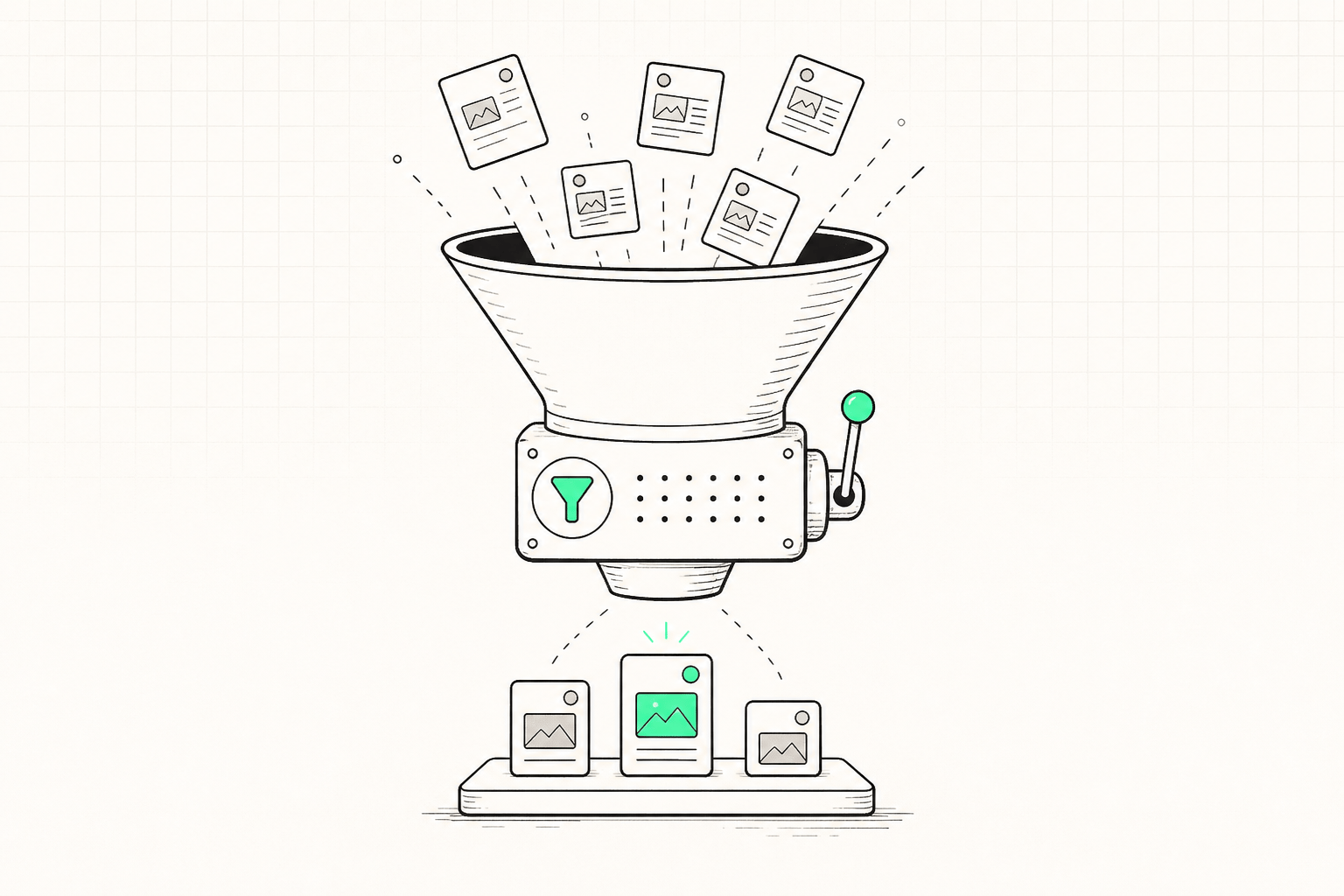
LinkedIn doesn't just throw your post into everyone's feed and hope for the best. It's a systematic, three-stage process:
Stage 1: Initial Classification (0-60 Minutes)
The moment you hit "Post," LinkedIn's algorithm goes to work evaluating:
Quality Signals:
- Is this original content or a copy-paste?
- Does it follow LinkedIn's community guidelines?
- Are there spam indicators (suspicious links, excessive hashtags, misleading formatting)?
Audience Sizing:
- How large is your network?
- How engaged are your connections?
- What's your historical post performance?
Based on this initial scan, LinkedIn decides how many people should see your post first—typically 5-10% of your network.
💡 Key Takeaway: The first hour is your most critical window. LinkedIn is watching closely to see how people react.
Stage 2: Engagement Testing (1-2 Hours)
Now LinkedIn shows your post to that small test audience and measures:
Engagement Velocity
How fast are people liking, commenting, and sharing?
Engagement Quality
Not all engagement is equal:
- Likes: 1x weight
- Comments: 2x weight (signals deeper engagement)
- Shares/Reposts: 3x weight (strong endorsement)
- Saves: 5x weight (the ultimate trust signal)
Dwell Time
How long do people spend reading your post? If they immediately scroll past, that's a negative signal.
Click Patterns
Are people clicking "see more"? Are they engaging with media (images, videos, carousels)?
If your post performs well in this 1-2 hour window, LinkedIn moves to Stage 3. If not, your reach plateaus.
💡 Key Takeaway: Win the first 2 hours, and the algorithm rewards you with expanded distribution.
Stage 3: Extended Distribution (2+ Hours)
Based on early performance, LinkedIn decides:
Expand to More of Your Network
Show it to the remaining 90-95% of your connections.
Push to 2nd and 3rd Degree Connections
Your post appears in the feeds of people you're not directly connected to.
Surface in Hashtag Feeds
If you used relevant hashtags, your post may appear in those feeds.
Keep Circulating for Days
High-performing posts continue showing up in feeds for 3-7 days (or longer).
💡 Key Takeaway: Great content compounds. The algorithm keeps showing it as long as people keep engaging.
What Actually Shows Up in the LinkedIn Feed?
Not all content is treated equally. Here's the breakdown of what LinkedIn prioritizes:
- Top Creator Content: 31%
- Promoted Company Content (Ads): 28%
- Other Creator Content: 28%
- LinkedIn Ads: 11%
- Organic Company Content: 2%
What This Means
Personal profiles dominate. If you're only posting from your company page, you're fighting for just 2% of available feed space.
Top creators get the most visibility. LinkedIn rewards accounts with consistent engagement history.
Company pages need employee amplification. Without employees sharing and engaging, company content rarely breaks through organically.
The Best Content Types for LinkedIn in 2026
Format matters. Here's what performs best based on 2026 data:
Personal Profile Performance
1. Polls (1.64x reach multiplier)
→ Interactive, quick to engage
→ Spark conversations naturally
→ Don't overuse or they look spammy
2. Documents/Carousels (1.45x reach multiplier)
→ Multi-slide PDFs keep people on LinkedIn longer
→ High save rate (signals lasting value)
→ Best for educational content
3. Images (1.18x reach multiplier)
→ Visual content grabs attention fast
→ Works well with storytelling
→ Use high-quality, mobile-optimized images
4. Videos (1.10x reach multiplier)
→ Native uploads perform best (not YouTube links). Saving a reference video first? Use the free LinkedIn video downloader
→ Keep videos short (under 90 seconds)
→ Add captions for mobile viewers
5. Text-Only Posts (0.88x reach multiplier)
→ Weakest format overall
→ Only works with exceptional writing
→ Better to add an image or carousel
Company Page Performance
1. Documents/Carousels (1.40x)
→ Still the best format for companies
→ Educational, shareable content wins
2. Images (1.21x)
→ Simple visuals with clear value
→ Behind-the-scenes content works well
3. Polls (1.19x)
→ Dropped significantly from last year
→ Use sparingly on company pages
4. Videos (1.05x)
→ Lost momentum compared to 2024
→ Only use for high-value content
5. Text Posts (0.42x)
→ Nearly invisible on company pages
→ Avoid entirely
💡 Pro Tip: Mix your content types. Don't post the same format every time. Variety signals to the algorithm that you're a dynamic creator.
What 50 Viral LinkedIn Posts Have in Common
The ranking rules above are the theory. Here's what actually went viral.
We went through all 50 posts in The Hustle's LinkedIn Success Database: 50 Viral LinkedIn Posts Decoded (engagement as of February 2025) and counted what they share. It's the same set LinkGenie's post generator learns from.
What they were about:
- Hot takes (16 posts) and teaching posts (15) make up 62% of the list. Opinions and frameworks travel.
- Teaching posts got the most comments (median 354), and hot takes the most reposts (median 360).
- Pure self-promotion made up only 3 of the 50.
How they looked:
- 39 of 50 had a visual: an image, infographic, carousel, meme or video. Only 11 were plain text.
- Text with an image was the most common format (13 posts) and got the most reposts (median 340).
How they were written:
- Short first lines. The median opening line is about 10 words, and 36 of 50 open in 12 words or fewer.
- Mid-length posts. The median post is 143 words. None needed 500.
- Lots of white space. The median post has 9 separate paragraphs.
- Almost no hashtags or links. Only 7 used hashtags, and just 3 had a link in the post.
The pattern: one strong opinion or useful idea, a first line short enough to read at a glance, and a visual to stop the scroll.
How to Write High-Performing LinkedIn Posts
Content type matters, but what you write matters more. Here's how to optimize your copy:
1. Master the Ideal Length
Sweet spot: 800-1,000 characters
Why?
- Long enough to provide value
- Short enough to avoid the "see more" button
- Keeps readers engaged from start to finish
Exception: The top 5% of posts are often longer (1,200-1,800 characters) because they deliver deep, comprehensive value. If you're writing a mini-guide or telling a compelling story, go longer—but make every word count.
Not sure where the "see more" cutoff lands? Paste your draft into our free LinkedIn character counter to check it against every LinkedIn limit before you post.
2. Write for Easy Reading
The algorithm and users both favor posts that are easy to scan:
Target a 4th-grade reading level
→ Posts above 10th-grade reading level get 35% less reach
→ Use simple words and short sentences
Keep sentences short
→ 10-15 words per sentence is ideal
→ Avoid complex jargon unless your audience expects it
Break up text with white space
→ Max 3-4 lines per paragraph
→ Use line breaks generously
Add formatting for scannability
→ Bullet points (•, →, ✓)
→ Emojis for visual breaks
→ Bold key phrases (use Unicode bold generators)
Bad Example:
I wanted to share some thoughts on the importance of maintaining a consistent content strategy on LinkedIn because I've noticed that many professionals struggle with this and don't realize how much of an impact it can have on their overall engagement and reach which ultimately affects their ability to grow their personal brand and achieve their professional goals.
Good Example:
Consistency beats perfection on LinkedIn.
Here's why:
→ The algorithm rewards regular posters
→ Your audience needs repeated touchpoints
→ Momentum compounds over weeks
Post 3x per week for 90 days. You'll see the difference.
What's your biggest obstacle to posting consistently?
3. Use the Proven Post Structure
The Hook (First 1-2 lines)
Grab attention immediately. The hook determines if people click "see more."
Examples:
- "Your LinkedIn posts are invisible. Here's why."
- "I analyzed 1,000 LinkedIn posts. Only 3 things matter."
- "Stop doing this on LinkedIn. It's killing your reach."
The Value (Middle section)
Deliver on your hook's promise. Share insights, data, stories, or actionable tips.
The Call-to-Action (Final line)
Ask a question, invite comments, or prompt a specific action.
Examples:
- "What's worked best for you?"
- "Drop a 👍 if you've experienced this."
- "Save this for later."
Engagement Tactics That Boost Your Reach
Understanding the algorithm is half the battle. Here's how to maximize engagement:
1. The Power of Comments (Not All Are Equal)
Direct comments = replies directly to your post
Indirect comments = replies to other people's comments
Indirect comments drive 2.4x more reach than direct comments.
Why? Because comment threads signal active, ongoing conversation—exactly what LinkedIn's algorithm loves.
Strategy:
- Reply to every comment within 2 hours
- Ask follow-up questions to spark longer threads
- Encourage people to reply to each other, not just to you
2. Win the First 60 Minutes (The Golden Hour)
The first hour after publishing is critical. This is when LinkedIn decides if your post deserves broader distribution.
What happens in the first hour:
- LinkedIn shows your post to 5-10% of your network
- Engagement velocity is measured (how fast likes/comments come in)
- The algorithm decides whether to expand reach
How to dominate the first hour:
Before you post:
- Engage with 5-10 other posts in your niche (warms up the algorithm)
- Post when your audience is most active (track your data)
In your post:
- Ask a clear, easy-to-answer question
- Make it ridiculously easy to comment
After you post:
- Reply to comments within 2 hours
- Like every comment to show appreciation
- Pin the best comment to encourage more replies
3. Saves Are the Ultimate Algorithm Signal
1 save = 5x the reach of 1 like.
When someone saves your post, it tells LinkedIn: "This content has lasting value."
Posts that get saved consistently lead to:
- 3x faster audience growth
- 130% higher follow rate
- Extended distribution (your post stays visible for days)
How to earn saves:
Create "reference" content people want to revisit:
- Frameworks and checklists
- Step-by-step guides
- Data-backed insights
- Resource lists
Explicitly ask for saves:
- "Save this for later."
- "Bookmark this if you found it helpful."
- "Save this to refer back to."
The Truth About Links on LinkedIn
Do external links hurt your reach in 2026?
Yes—but it's more nuanced than "don't use links."
What the Data Shows
Independent studies that reverse-engineered LinkedIn's ranking signals from tens of thousands of posts (one widely-cited analysis covered 38,417 posts) all land on the same conclusion: posts with an external link in the body get measurably less reach. Here's the pattern:
1 link in a post: Lowest reach (LinkedIn wants to keep users on the platform)
2-3 links: Slightly better, but still penalized
4+ links: Performance improves significantly—signals "resource list" instead of "promotion"
Link Strategies That Minimize Penalties
Option 1: Delay the Link (Lowest Penalty)
Post without a link. Let comments build for 1-2 hours. Then edit your post and add the link.
Option 2: First Comment Link (Low Penalty)
Put the link in your first comment. Reference it in your post: "Link in the comments 👇"
Option 3: Remove the Preview Card (Medium Penalty)
Paste the link but delete the preview card. The clickable URL remains, but it's less intrusive.
Option 4: Multiple Links (Strategic)
If you must include links in the post, add 4+ relevant resources. This signals value, not promotion.
💡 Pro Tip: Use LinkGenie to schedule posts without links, then auto-edit them later to add links after engagement builds.
Common LinkedIn Algorithm Myths (Busted)
Myth #1: "Hashtags Boost Your Reach"
Reality: Hashtags have minimal impact in 2026.
The data:
- Using 3-5 hashtags: Slight reduction in visibility
- Using 6+ hashtags: Serious reach penalty
Hashtags help with search discoverability, but they don't expand organic reach in feeds.
Recommendation: Use 0-3 highly relevant hashtags. Focus on content quality, not hashtag stuffing.
Myth #2: "There's a Universal Best Time to Post"
Reality: Your best posting time depends entirely on YOUR audience's behavior.
Generic advice like "Post Tuesdays at 9 AM" ignores that your network might be most active on Thursdays at 2 PM or Saturdays at 7 AM.
What to do instead:
Track your own performance data. Test different days and times for 2-3 weeks. For data-backed starting points by day, industry, and country, see our best times to post on LinkedIn guide.
With LinkGenie, you can generate and schedule posts in bulk to test different time slots effortlessly.
Myth #3: "Posting Every Day Is Best"
Reality: Posting multiple times in 24 hours causes your own content to compete for reach.
Optimal frequency:
- Minimum: 2-3x per week
- Optimal: 3-5x per week
- Maximum: Once per day (space posts 24 hours apart)
Consistency beats volume. Better to post 3 quality posts per week than 7 rushed ones.
Myth #4: "Company Pages Get the Same Reach as Personal Profiles"
Reality: Company pages get just 2% of organic feed visibility.
Personal profiles consistently outperform company pages by 10-15x.
Strategy: Have employees share company content from their personal profiles to amplify reach.
Advanced Strategies for LinkedIn Success
1. Optimize for Mobile (91% of Users)
72% of LinkedIn users access the platform on mobile, and 91% of engagement happens on mobile devices.
Mobile optimization checklist:
✅ Use vertical images and videos (9:16 aspect ratio)
✅ Keep paragraphs short (3-4 lines max)
✅ Use plenty of white space
✅ Preview your post on mobile before publishing
Vertical videos have increased by 80% and get 10% higher click-through rates than square ones.
2. Build Network Quality Over Quantity
An engaged, relevant network beats a large, random one every time.
Focus on:
- Connecting with people in your industry or niche
- Regularly engaging with connections' content
- Removing inactive or irrelevant connections
Why it matters: LinkedIn's algorithm favors posts shown to active, engaged networks. If your connections never engage with your content, your reach will tank.
Aim for a follower-to-connection ratio of at least 1.5. For example, if you have 1,000 connections, aim for 1,500 followers.
3. The Content Mix Strategy
Variety keeps your audience engaged and signals to LinkedIn that you're a dynamic creator.
Ideal weekly content mix:
- 1 poll - Quick engagement boost
- 1 carousel/document - High-value educational content
- 2-3 text/image posts - Stories, insights, or tips
- 0-1 video - Use strategically, not every week
Avoid: Posting the same format repeatedly. Mix it up to keep the algorithm interested.
4. Engage Before You Post (The Warm-Up)
Spend 10-15 minutes engaging with other people's content right before you publish your own.
Why this works: It signals to LinkedIn that you're an active, valuable community member, which can boost your post's initial distribution.
What to do:
- Like 10-15 posts from your network
- Leave 5-7 thoughtful comments
- Share 1-2 relevant posts
Then publish your content when your profile is "warmed up."
Key Metrics to Track
To know if your LinkedIn strategy is working, track these metrics:
1. Engagement Rate
(Likes + Comments + Shares) / Impressions × 100
Benchmark: 2-5% is average. Above 5% is excellent.
2. Impressions and Reach
How many unique people saw your post? Track week-over-week trends, not individual posts.
3. Profile Views
Are your posts driving people to your profile? This is a leading indicator of follower growth.
4. Comment Quality
Are people leaving thoughtful comments or just "Great post!" spam? Quality comments signal real engagement.
5. Follower Growth
Track net new followers per week. Steady growth (even if small) indicates your content is resonating.
6. Save Rate
How many people saved your post? This is the strongest algorithm signal. Track this religiously.
7. Click-Through Rate
If you include links, how many people click? This shows whether your content drives action beyond LinkedIn.
5 Bonus Tips to Beat the Algorithm
Tip #1: Use Reposts (the Right Way)
Do reposts get less views than original posts? Yes—a plain repost of your own content typically earns 30-40% less reach than the original, because the algorithm treats it as recycled. So don't just hit "Repost." Instead:
- Quote-repost with a fresh take. Add 2-3 lines of new commentary so it's treated as original content, not a duplicate.
- Wait 24-48 hours so it doesn't cannibalise your original post's distribution.
- To get more reposts from others: end with a clearly shareable takeaway, tag people who'd want to amplify it, and ask directly ("Repost ♻️ if this helped"). Shares carry 3x the weight of a like.
Tip #2: Reply to Every Comment (Fast)
Your engagement on your own post matters. Reply to comments within the first 2 hours to keep the conversation (and the algorithm) moving.
Tip #3: Tag Relevant People (Sparingly)
Tagging 1-2 relevant people can boost initial engagement, but don't overdo it. Tagging more than 3 people looks spammy.
Tip #4: Post When You Can Engage
Don't schedule posts for times when you can't respond to comments. Active engagement in the first hour is crucial.
Tip #5: Analyze Your Top Posts
Look at your 5 best-performing posts from the last 90 days. What do they have in common? Double down on what works.
How LinkGenie Helps You Win on LinkedIn
Understanding the algorithm is one thing. Consistently creating optimized content? That's the hard part.
That's where LinkGenie comes in.
(If you're weighing this against paying someone, see how much a LinkedIn ghostwriter costs — the human route runs $1,000–$5,000 a month.)
Generate Algorithm-Optimized Content
LinkGenie's AI learns your voice and creates posts optimized for LinkedIn's algorithm—no more staring at a blank screen wondering what to write.
Schedule at Optimal Times
Queue your posts to go live when your audience is most active. No more manual posting or missing your window.
Test and Optimize
Generate multiple versions of content and test different formats, times, and hooks to see what performs best for YOUR audience.
Stay Consistent Without Burnout
Build your content calendar once and let LinkGenie handle the rest. Show up in your audience's feed 3-5x per week without the daily grind.
Focus on Engagement
With content creation handled, you have more time to engage with others, reply to comments, and build real relationships—which the algorithm loves.
Your content. Your voice. Algorithm-optimized.
FAQs About LinkedIn's Algorithm
How does the LinkedIn algorithm work in 2026?
LinkedIn's algorithm tests your post with a small audience first (5-10% of your network), then expands reach based on early engagement quality and speed. The first 60-120 minutes are critical. Focus on clear hooks, strong questions, and fast replies to maximize distribution.
What changed in 2026 compared to 2025?
Median reach is down 34% overall. The algorithm now favors shorter, more readable posts (800-1,000 characters). Link penalties are less severe when engagement is strong. Posts have longer lifespans—content can circulate for days or weeks instead of just 24 hours.
Do external links reduce reach?
Yes, but you can minimize the penalty. Post without a link first, let engagement build, then add the link later. Or put the link in your first comment. If you must include it in the post, remove the preview card and keep the text short.
What's the best content type on LinkedIn?
For personal profiles, polls (1.64x multiplier) and carousels (1.45x multiplier) perform best. For company pages, carousels (1.40x) and images (1.21x) are strongest. Text-only posts are the weakest format for both.
How often should I post on LinkedIn?
The optimal frequency is 3-5 times per week. Post too little, and you lose visibility. Post too often (multiple times in 24 hours), and your own content competes for reach. Consistency beats volume.
Does LinkedIn optimization work in 2026?
Absolutely. Understanding the algorithm and optimizing your content is more important than ever. Focus on quality engagement, mobile-friendly formatting, strategic timing, and creating content worth saving.
What's the golden hour on LinkedIn?
The first 60 minutes after publishing are critical. This is when LinkedIn tests your post with a small audience and decides whether to expand distribution. High engagement in this window can 10x your reach.
What is the 3/2/1 rule on LinkedIn?
The 3/2/1 rule is a simple weekly cadence: 3 value posts (tips, insights, how-tos), 2 personal or story-driven posts, and 1 promotional post. It keeps you consistent without over-promoting—which the algorithm penalises—while giving your audience mostly value and only occasionally an ask. It's one piece of a full LinkedIn content strategy.
Do reposts on LinkedIn get less views?
Yes. A plain repost of your own post usually earns 30-40% less reach than the original because the algorithm treats it as recycled content. Quote-repost with 2-3 lines of fresh commentary instead, and wait 24-48 hours so it doesn't compete with the original.
Do LinkedIn Premium reply features boost your reach?
Premium features like "top comment" placement and AI-assisted replies can increase the visibility of your comments, which indirectly helps reach by driving more engagement to your posts. But there's no evidence LinkedIn gives Premium accounts a direct ranking boost—engagement quality and speed still decide distribution, Premium or not.
Key Takeaways
Here's your LinkedIn algorithm cheat sheet for 2026:
Content that wins:
- Polls and carousels (highest reach multipliers)
- 800-1,000 character posts (sweet spot for length)
- Mobile-optimized formatting (91% of users)
- Posts that earn saves and comment threads
What to avoid:
- Multiple posts in 24 hours (self-competition)
- 6+ hashtags (reach penalty)
- External links with preview cards (keep them in comments)
- Text-only posts (weakest format)
Engagement tactics:
- Engage with others before posting (warm-up strategy)
- Reply to all comments within 2 hours (keep momentum)
- Ask questions to spark comment threads (2.4x reach boost)
- Use reposts to extend content lifespan
Remember: The algorithm rewards consistent creators who spark meaningful conversations and provide genuine value. Focus on quality over gimmicks, and the reach will follow.
Start Winning on LinkedIn Today
The LinkedIn algorithm isn't your enemy—it's a system you can learn and leverage.
But consistently creating algorithm-friendly content takes time and effort. That's where LinkGenie makes the difference.
Generate weeks of optimized LinkedIn content in minutes.
Schedule posts at your best-performing times.
Stay consistent without burning out.
Your audience is waiting. The algorithm is ready.
No credit card required. Start mastering LinkedIn's algorithm today.
Disclaimer: This article is provided for informational purposes based on publicly available data and independent research. LinkGenie is not affiliated with, endorsed by, or officially connected to LinkedIn Corporation. LinkedIn's algorithm and policies may change. Users should consult LinkedIn's official resources for the most current information.